
Built for GitHub
Square Face Generator makes a square avatar that stays readable at small sizes in commits, issues, and profile cards.
Browser-made square avatars
Create classic square face icons for GitHub avatars, favicons, and lightweight profile art with a square face icon generator that runs in your browser.
Launch the classic generator, make a face, then use it anywhere a square icon fits.

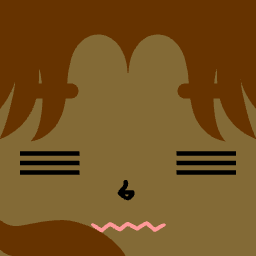



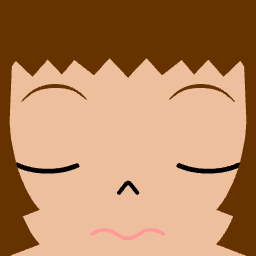
Generator
Press Start inside the tool, choose the face parts you like, then save a square avatar for GitHub or any profile page.
If the tool does not appear, refresh the page or try a current desktop browser.
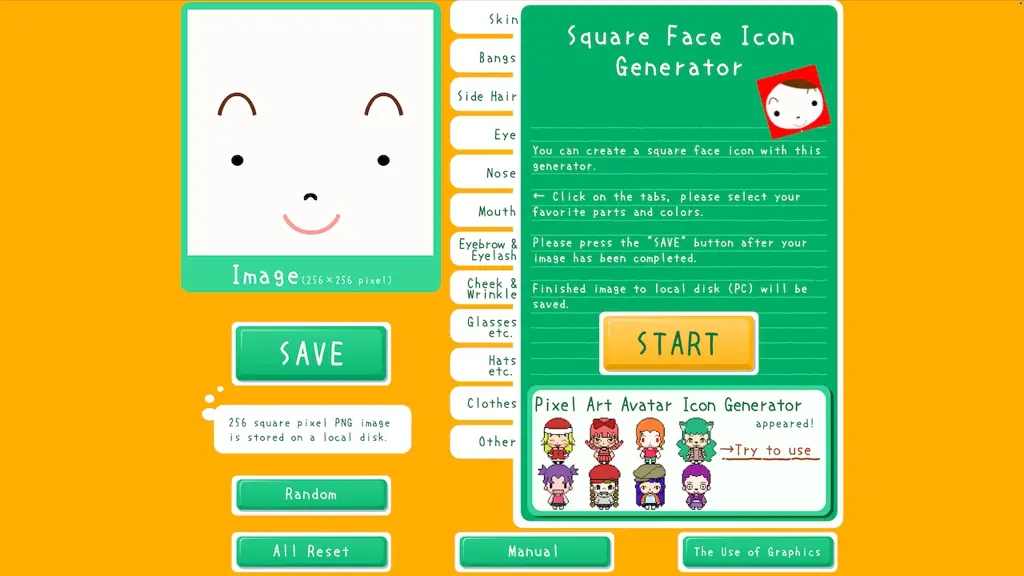
Preparing the avatar maker...
Why this tool works
Fast enough for a quick profile refresh, focused enough for GitHub avatars, and still faithful to the classic generator.
Square Face Generator makes a square avatar that stays readable at small sizes in commits, issues, and profile cards.
Pick facial features and colors in one focused tool instead of editing a blank canvas from scratch.
Open the page, create an icon, and save your result without making an account.
Three steps
Jump to the maker and start the square face tool on the page.
Try different eyes, mouths, hair, colors, and accessories until the face feels recognizable.
Use the save option in the tool, then upload the image to GitHub, Discord, Notion, or your site.
Use cases
Use Square Face Generator to create a simple face that remains distinct in repositories, comments, and pull requests.
Start from a square icon concept that can be resized or refined into a tiny project mark.
Give docs, dashboards, and personal pages a lightweight visual marker.
Make a playful profile image that is easy to recognize in chat lists.
Context
Square Face Generator is a browser tool for building a simple square portrait without account setup, design software, or a long prompt. It is best for small profile images where bold shapes matter more than detailed illustration. The square frame keeps each face readable after a platform crops or scales it, which is exactly what most profile slots end up doing.
GitHub avatars appear in small circles across commits, issues, pull requests, and repository lists. A square face icon generator keeps the silhouette simple, so the face stays recognizable after GitHub rounds and scales it down. Strong contrast between hair, skin, and background carries more visual weight at that size than fine details ever can.
A square face icon is consistent across every surface where you appear: pull requests, comment threads, contributor lists, and the small avatar grid on repository pages. Photos often lose detail or feel out of place in a developer-tools context. A face from Square Face Generator stays on-brand for a personal project, an open-source profile, or a side experiment, and it does not need to be re-shot when your hairstyle or lighting changes.
Once Square Face Generator has produced a square avatar, the same shape can travel into adjacent assets. Drop the saved image into a 32 by 32 or 48 by 48 canvas and you have a starting point for a favicon. Crop it tight and it works as a Notion page icon, a Discord avatar, or a placeholder logo for a small site. Square Face Generator is not a brand studio, but the simple square shapes are easy to refine in any image editor when you are ready to polish.
FAQ
Yes. The tool creates square face icons that work well as GitHub avatars because the shapes are bold, simple, and readable when GitHub shows them at small sizes.
No. You can open Square Face Generator, customize a face, and save the result without signing up or connecting a social account.
Yes. The generator is free to use for making personal profile images, project icons, and lightweight avatar artwork.
Square Face Generator creates simple square cartoon faces with strong shapes and clear colors. The style is better for icons and profiles than for realistic portraits.
You can use the saved square image as a starting point for a favicon. For best results, resize it carefully and check that the face is still clear at 32 by 32 pixels.
Yes. A square avatar from Square Face Generator can be uploaded to many profile pages and workspace tools. Always preview it after upload because each platform may crop or round the image differently.
Refresh the page first, then try a current desktop browser such as Chrome, Edge, Firefox, or Safari. Browser extensions that block embedded tools may also prevent it from appearing.
Yes. Save the image from the tool, then open it in your preferred image editor if you want to crop, resize, add transparency, or prepare multiple icon sizes.
No account or upload step is required to make an avatar. You create the face in the browser and decide where to save or upload the finished image.
A good GitHub avatar has strong contrast, a simple silhouette, and only a few important details. Square Face Generator leans into that style by default, so you avoid the tiny text or subtle marks that disappear in commit lists and comments.
Yes, it is suitable for personal projects, open-source profiles, and lightweight brand experiments. For commercial trademarks, review your own legal and brand requirements before publishing.
A square face icon from Square Face Generator is consistent, playful, and easy to recognize across small UI surfaces. It is useful when you want a profile image that feels designed but not overly polished.
Use a square face icon generator when you need a quick profile image, project icon, or small avatar that still looks clear after cropping and resizing.